01The console
The console, mid-replay
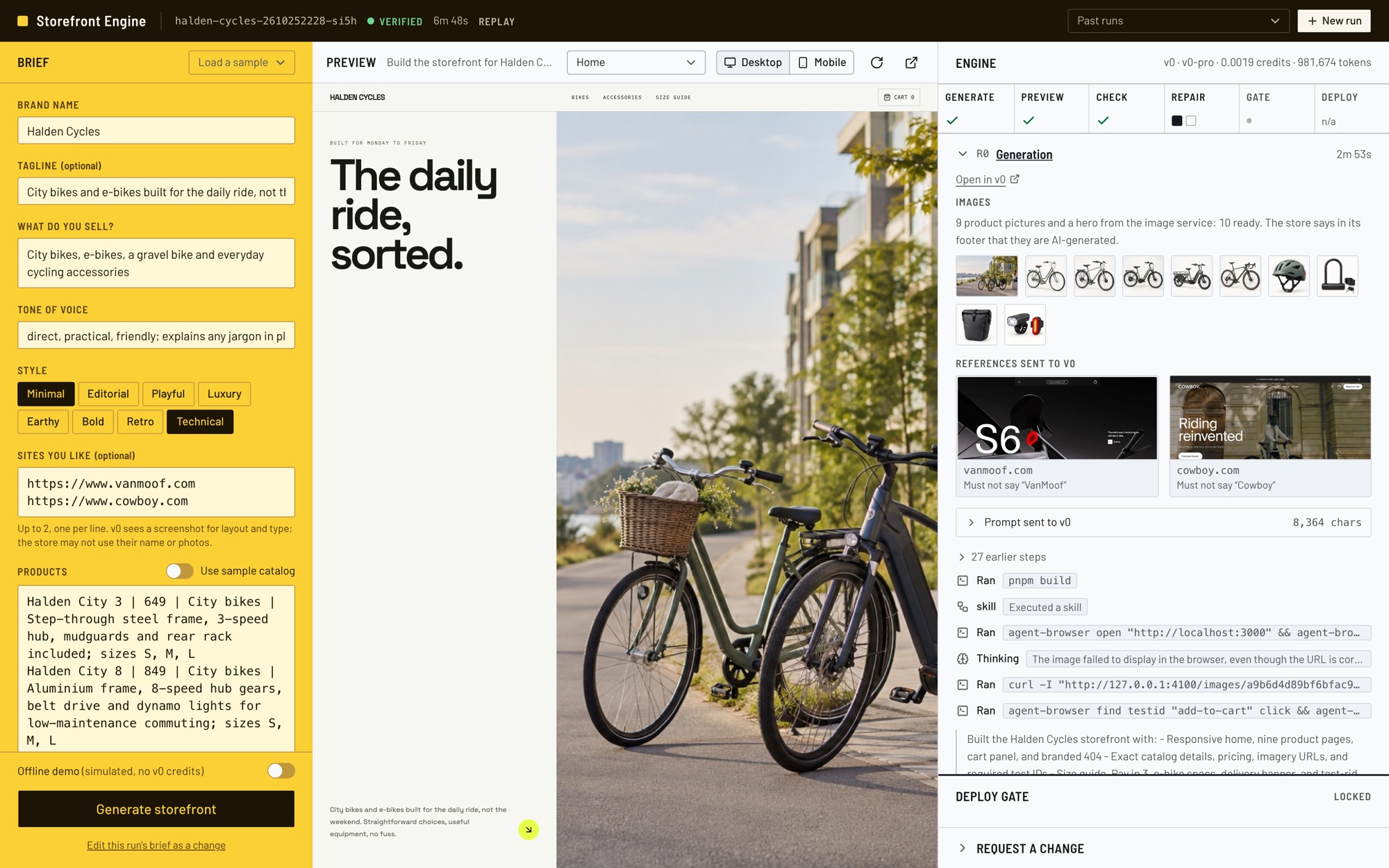
One screen, made for a big monitor. The brief is on the left, the store in the middle, and on the right a running record of everything the engine and v0 did.
 1
2
3
4
5
6
7
8
1
2
3
4
5
6
7
8
- 1Brief. What the shop owner fills in. "Load a sample" fills it with a ready-made shop.
- 2Offline demo and Generate. The switch runs a free, simulated build; leave it off for the real thing.
- 3Preview. The store v0 built, live. Switch between desktop and mobile, or open another page.
- 4The run. Its name, the result (here "Verified"), how long it took, and "Replay" for a past run. "Past runs" opens older ones.
- 5The stages. Generate, Preview, Check, Repair, Gate, Deploy, ticked off as they happen.
- 6Pictures and references. The pictures made for the store, and screenshots of the sites the owner likes, with the names the store must not use.
- 7What v0 did. Its steps as they happen: files written, commands run. "Prompt sent to v0" shows the exact words it was given.
- 8Deploy gate and changes. Locked until every check passes. A person approves or declines. Below it, ask for a change.
02Words to know
The words used on this page
- Brief
- What the shop owner fills in: brand, what they sell, tone, style, products, must-haves and sites they like.
- v0
- Vercel's AI builder. It writes the store's code and runs a live preview of it.
- Engine
- This project. It runs every step around v0 and keeps the rules.
- Run
- One trip from brief to report. Each has a name like
halden-cycles-2610252228-si5h. - Preview
- The store running in v0's sandbox, before anyone else can see it.
- Check
- One test on the store, such as "Add to cart updates the cart". Each passes, warns or fails.
- Repair
- Sending the failed checks back to v0 to fix, with the evidence. Two rounds at most.
- Stuck
- A check that keeps failing the same way. The engine stops sending it and keeps the gate locked.
- Gate
- The stop before going live. It opens only when nothing fails, and a person approves or declines.
- Deploy
- Publishing the store on Vercel at a public address, then running the checks again there.
- Change request
- A later edit to a finished store. If the change can't pass, the store goes back to how it was.
- Reference sites
- Up to two sites the owner likes. v0 sees screenshots for layout and type; the store may not use their names.
- Image service
- A small separate program that makes product pictures on request.
- Report
- A written record of the run, with screenshots, plus a log the console can replay.
- Offline demo
- A simulated builder for free rehearsals. No v0, no cost, and always labelled "simulated".
- CLI
- The same engine, run from the terminal instead of the browser.
03How it all fits together
One engine in the middle, everything else plugs in
You use the engine through the console or the CLI; both show the same run. The engine talks to the outside services, and only knows each of them through a small, written agreement. That is why v0 or the picture maker can be swapped without touching anything else.
Scroll sideways to see the whole diagram.
Two front doors
The console is for showing and watching. The CLI is for the terminal, for scripts, and as the fallback if the browser misbehaves. Both read the same stream of events.
Swappable parts
v0 sits behind four actions: build, revise, preview and deploy. Pictures sit behind "order a picture, get an address". Nothing else in the engine knows who answers.
Everything is written down
Every step becomes an event. The events build the console's screen, the CLI's output, the report, and the replay of a past run.
04What goes in, what comes out
A brief in plain words. A checked store out.
The owner never sees code. They describe the shop the way they would to a designer. This is the Halden Cycles brief, one of the samples in the console.
https://www.cowboy.com
Halden E-Cargo | 3890 | E-bikes | …
Hardened U-Lock | 64.90 | Accessories | …
+ 6 more
- Frame size guide: rider height to S, M, L, XL
- "Pay in 3" amount under every bike price
- Battery and range on every e-bike page
- Free delivery and assembly banner for bikes
- Book a test ride button on every bike page
What comes out
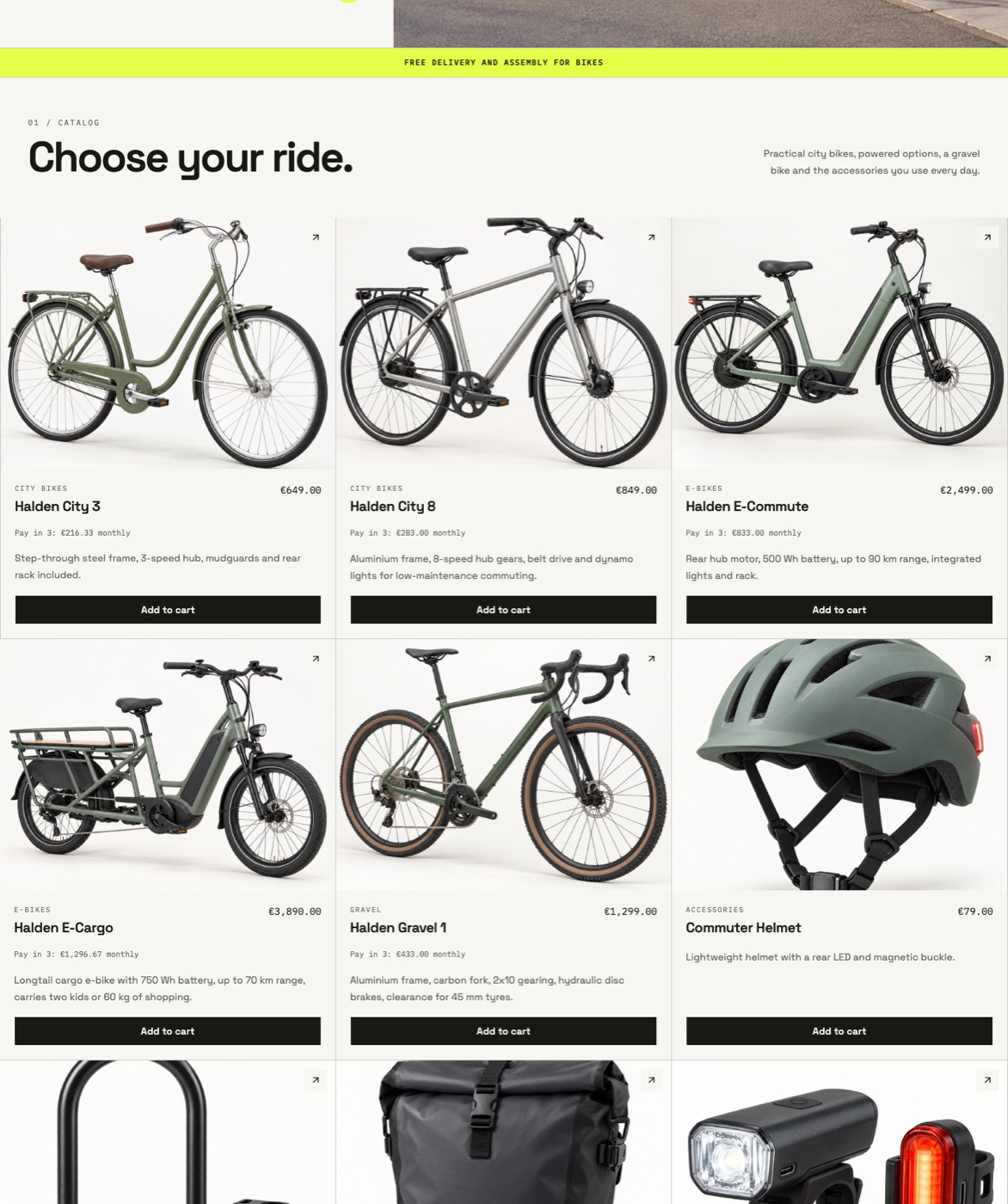
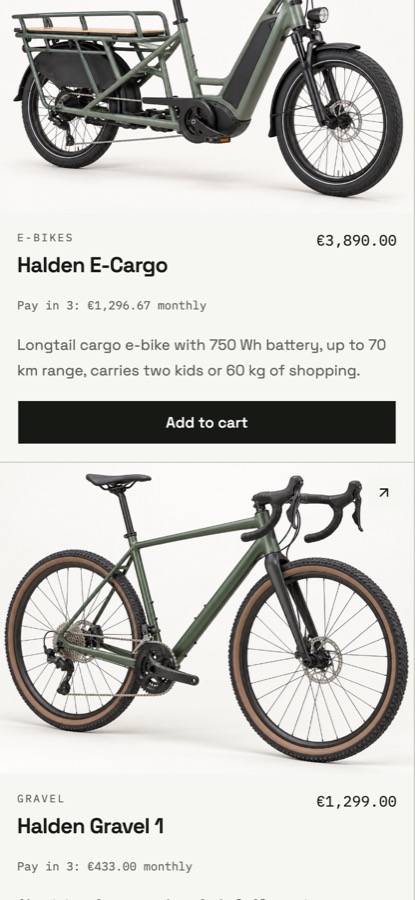
- A working store, in previewHome page, a page for each product, a cart that adds up, and a branded "page not found".
- Proof that it worksEvery check, at desktop and phone sizes, with screenshots, in the console and in the report.
- A report
reports/<run>.md: what was asked, what v0 did, what failed, what was fixed, how long each step took. - A replay"Past runs" in the console plays the whole run again, step by step.
- After a yes: a live storePublished on Vercel, then checked again at its public address.
05From brief to live store
The steps of a run
Every run goes through the same steps. Failures loop back to v0 at most twice, and nothing goes live without a person.
Scroll sideways to see the whole diagram.
Prepare
A few secondsThe engine reads the brief. For each product without a photo, it orders a picture or finds one. It takes screenshots of up to two sites the owner likes, and notes their names, which the store must not use.
You see: the R0 record with picture thumbnails filling in and the two reference screenshots.
Build
2 to 5 minutesThe engine sends v0 two things: standing rules (design direction, "don't make anything up", and the list of checks the store will face) and this brief. v0 writes the code.
You see: v0's steps streaming in: files created, commands run. "Prompt sent to v0" shows the exact words.
Preview
A few secondsThe engine opens v0's live preview through a doorway on this computer, so the console and the checker see exactly the same page.
You see: the store appear in the middle pane, with a Desktop / Mobile switch.
Check
About a minuteA real browser opens the store at desktop and phone sizes. It reads the page, clicks buttons, fills the cart and checks the sums.
You see: round C0, every check marked pass, warn or fail, with screenshots.
Repair
1 to 2 minutes a roundFailures go back to v0 with the evidence. v0 fixes them, and the checks run again. Two rounds at most.
You see: the exact message sent to v0, what it changed, and before-and-after screenshots.
Gate
A person decidesThe gate opens only when nothing fails. It lists any warnings for a person to read, then waits for approve or decline.
You see: "Deploy gate: Locked", or the warnings with Approve and Decline.
Deploy and check live
A few minutesOn a yes, v0 publishes the store on Vercel. The engine waits for the address to answer, then runs the same checks on the public store.
You see: the live address and one more round of checks.
Report
InstantEverything is written down: the report, the screenshots and the event log.
You see: the report's path at the end, and the run listed under Past runs.
Where the time goes
Scroll sideways to see the whole chart.
06What it checks
A real browser, not a guess
The checker opens the store the way a shopper would, at desktop width (1440 px) and phone width (390 px). Each check ends in one of four ways, and each way has its own destination.
Does it work?
- The page loads and becomes interactive: buttons respond
- No errors in the browser, no failed requests
- "Add to cart" updates the cart
- The cart subtotal adds up, in the brief's currency
- Every product has its own page with name, price and add to cart
- Unknown addresses show the store's own "not found" page WARN
Is everything there?
- Header, brand name and product grid
- Every product from the brief, with its name and price
- Product photos load
- A visible, labelled cart button
- Every must-have from the brief, looked for on the product pages too
Does it work for everyone?
- Accessibility: an automatic audit (axe-core) finds nothing serious
- On a phone, nothing scrolls sideways
- Every check runs at both sizes where it matters
Is it honest?
- No invented figures: numbers the brief doesn't give, like "4.9 stars" or "12,480 kg recycled" WARN
- No borrowed branding: no names from the sites the owner likes
- Image credits: photographers are named, or the footer says the pictures are AI-generated
- The home page shows its hero picture WARN
- Pictures are hosted where visitors can see them WARN
Why are invented figures only a warning? Neither v0 nor the engine can know whether "4.9 stars" is true. So instead of asking v0 to guess, the engine shows the figures to the person at the gate. In the Halden run it found five, all of them monthly "Pay in 3" amounts that v0 worked out from the prices. Probably right, but a person should confirm them.
07When a check fails
Repair: back to v0 with the evidence
The engine doesn't say "it's broken, try again". It sends v0 each failed check, what the browser actually saw, and on which screen size. Then it checks everything again, not just the parts that failed.
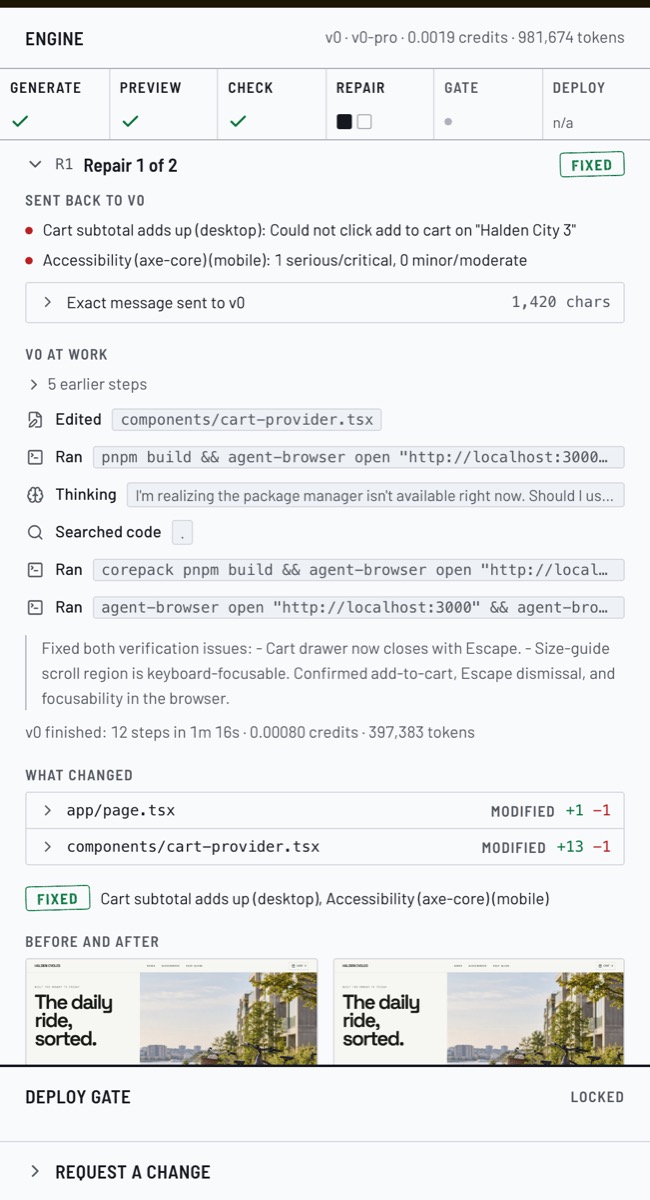
In the Halden run, the first round found two problems:
- Cart subtotal adds up · desktopThe checker couldn't click "Add to cart" on Halden City 3. v0's fix: the cart drawer now closes with the Escape key.
- Accessibility · phoneA scrollable table, the frame size guide, couldn't be reached with the keyboard. v0's fix: it can now take keyboard focus.
v0 changed 2 files (14 lines added, 2 removed) in 1 minute 16 seconds, and the second round passed.
When a fix doesn't take
If a check fails exactly the same way after a repair, the next message to v0 adds what it changed last time and how the browser actually drew the element. If it is still the same after that, the check is marked stuck and no longer sent. The gate stays locked, and all the evidence is there for a person to read.
Earlier runs went down this path too: one where a check was marked stuck, and one that still failed after two repairs and stayed locked at the gate.
08Pictures
Every product gets a picture, and the store says where it came from
A store without pictures looks broken, and a wrong picture is worse than none. The engine takes the first of these that works for each product:
- 1A photo the owner put in the brief
- 2A picture made by the image service, if it's switched on
- 3A free Unsplash photo, credited to its photographer
- 4A plain colour tile, never a picture of something else
Why make pictures at all? Halden's products are named by model, like "Halden City 3". Unsplash found a photo for only one of the nine, and it was the wrong one: a USB cable for the light set. A made picture shows the product the brief describes.
How the image service fits in
Scroll sideways to see the whole diagram.
- The engine says what, never how. An order names the product, its description, the brand and its style, and the shape (square, or wide for the home page's hero). How the picture gets made is the service's business.
- Same order, same picture. Pictures are kept, so a rerun or a change doesn't make them again.
- Today's service runs locally and uses OpenAI's gpt-image. Any service that answers the same way can replace it, such as a hosted image API or a stock photo library.
- Honest by rule. The store's footer must say the pictures are AI-generated, and the "Image credits" check makes sure it does. Pictures never contain text or logos.

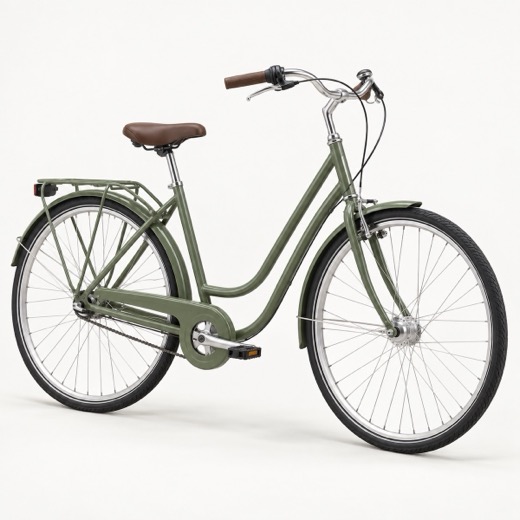
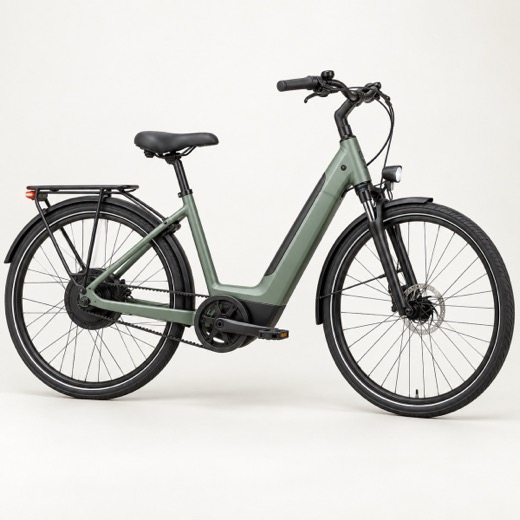
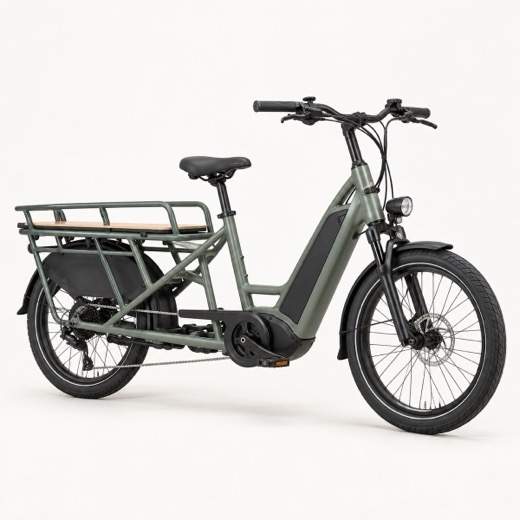

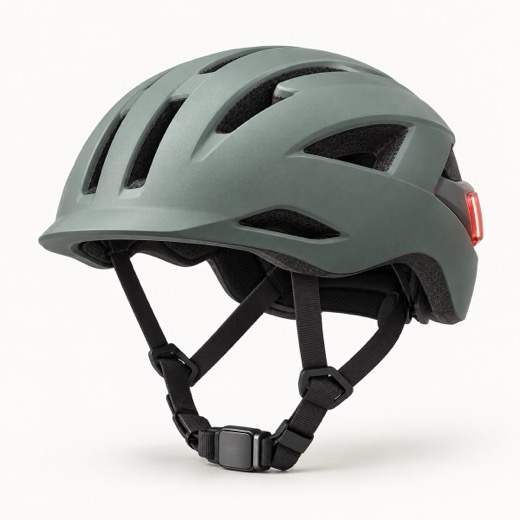
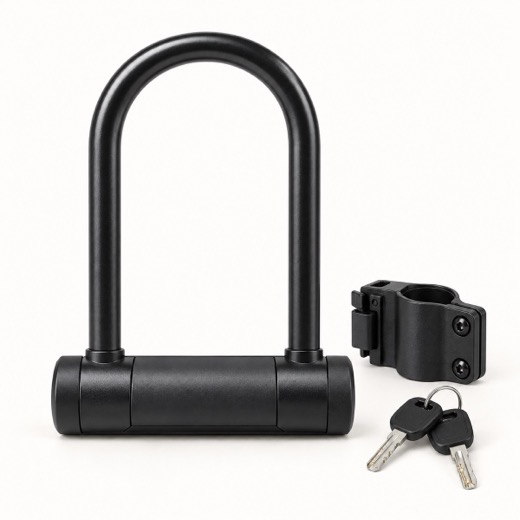
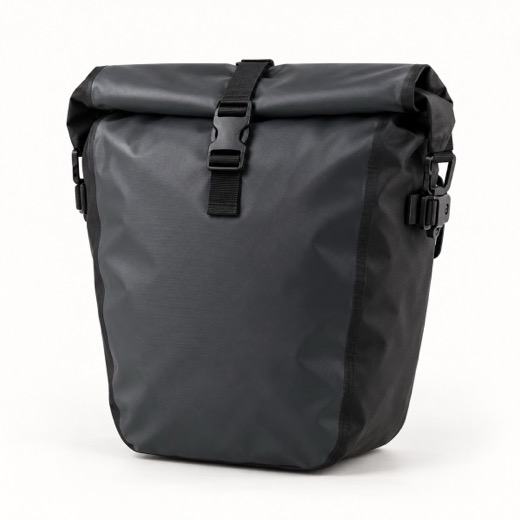
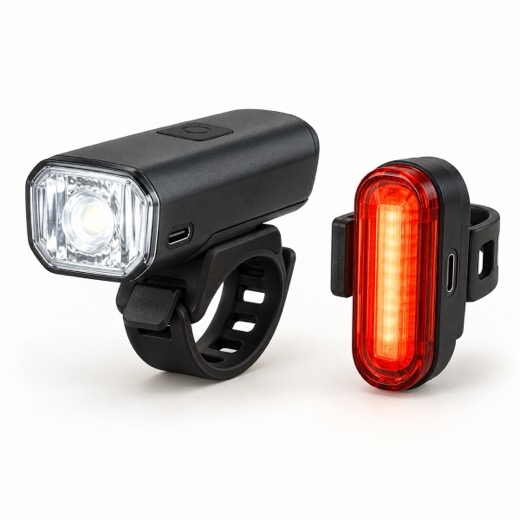
One catch today: the pictures live on this laptop. They show in the preview and in the checks, but a deployed store's visitors couldn't load them. The gate says so ("Images hosted publicly"), so for now runs with made pictures are declined at the gate.
The planned fix: save each picture to public storage as soon as it's made, and give v0 that public address. It's on the production list below.
09Changing a store
Changes go through the same checks, and undo themselves if they fail
Once a store has passed, the owner can ask for changes. There are two ways in the console:
Say it in a sentence
Request a change, under the deploy gate, takes something like "Switch to a dark theme; keep everything else".
Edit the brief
Edit this run's brief as a change, in the Brief rail, turns your edits into the request, for example "Add the product Ceramic Pitcher at £22". Only new products get new pictures.
Scroll sideways to see the whole diagram.
10Console and CLI
Two ways to drive the same engine
Console
For showing and watching. Open it with pnpm dev and go to http://localhost:3000. Everything on this page can be seen there, live or replayed.
CLI
For the terminal and for scripts, and the fallback if the browser misbehaves. Same runs, same checks, same report, printed as text. At the gate it asks "Deploy to Vercel? [y/N]".
The commands
pnpm dev then http://localhost:3000pnpm images, with IMAGE_SERVICE_URL=http://127.0.0.1:4100 in .env.localpnpm storefront run briefs/halden-cycles.json--no-deploy--generator fixture--max-repairs 1 (2 by default)--yes--app <chat id>pnpm storefront change <run> "Switch to a dark theme", or --brief edited.jsonpnpm storefront import briefs/x.json --repo <GitHub link> (or --zip, or --vercel-project)pnpm storefront verify https://example.com --brief briefs/x.jsonWhat the CLI prints
▲ storefront engine  run halden-cycles-2610252228-si5h
  Halden Cycles · 9 products · generator v0 (v0-pro) · max 2 repair rounds
  ▣ 9 product pictures and a hero from the image service: 10 ready
● Generate
  ◫ reference 1  https://www.vanmoof.com  the store must not say: VanMoof
  ✎ create lib/products.ts
  ✎ create components/cart-provider.tsx
  … 30 more steps
  agent finished: 34 parts in 2m53s
● Verify · round 0 · preview
  ✓ desktop Page loads                  HTTP 200 in 5.7s
  ✗ desktop Cart subtotal adds up       Could not click add to cart on "Halden City 3"
  ✗ mobile  Accessibility (axe-core)    1 serious/critical, 0 minor/moderate
● Repair · round 1
● Verify · round 1 · preview
  → passed  42 pass · 2 warn · 0 fail
  fixed: Cart subtotal adds up (desktop), Accessibility (axe-core) (mobile)
✓ passed  All checks passed after 1 repair round; deployment skipped  6m48s
11Making it production-grade
Keep the core, rebuild what's around it
Today this is a working demo on one laptop: one person, no logins, runs kept in memory and in folders. What makes it trustworthy (the steps, the checks, the repair loop and the gate) carries over as it is. What changes is everything around it: who can use it, where things are kept, and where the work runs.
+Add
- Accounts, teams and roles P1
- A database for everything the runs produce P1
- A job queue and workers with browsers P1
- Public storage for pictures and screenshots P1
- Spending limits: per-merchant budgets for v0 and pictures P1
- Automated tests. There are none today; the simulated builder is a ready, free test double P2
- Monitoring: success rate, time per step, cost per store P2
- An audit trail: who approved what, and when P2
- Content review of made text and pictures, and photo licence records P2
- Checkout and payments, stock and catalog sync. Today the cart lives only in the page P3
- Custom domains, search basics and analytics P3
- A second builder behind the same agreement, so the business doesn't rely on v0 alone P3
~Change
- Pictures: a hosted image API or a stock library instead of a local service, saving to public storage. The engine side stays as it is.
- Preview: a private, signed-in preview per run, instead of a doorway on this laptop.
- Reports: a run page in the app. The event log already exists and can be stored as it is.
- Checks: per-merchant settings for which checks run and how strict they are; desktop and phone at the same time, to save a minute.
- Changes: allow changing any earlier version, not only the latest run.
- Console: from one screen built for a big monitor to an app with history, search and roles.
−Remove
- Mac-only tools: Codex for pictures, Keychain lookups, the built-in Mac image resizer.
- Local addresses: picture links and previews that only work on this laptop.
- Demo shortcuts: sample briefs in the form, Past runs read from a folder, and approving without asking.
- The simulated builder from the product screen. Keep it for automated tests, where it's ideal: free and predictable.
In three phases
Safe to share
Accounts, a database, the job queue and workers, public storage, secrets and spending limits.
Other people can use it without you in the room.
Run it with confidence
Automated tests, monitoring, an audit trail and content review.
You know when it breaks, why, and what it costs.
A real shop
Checkout and payments, catalog sync, custom domains and analytics, and a second builder.
Stores that sell, not just show.
12Questions
Questions people ask
Why not just use v0 on its own?
v0 builds well, but on its own nobody checks that the cart adds up, that it works on a phone, that it hasn't made up a review score, or that a person agreed before it went live. The engine does those things every time, and writes down the evidence.
What stops a broken store from going live?
The gate. It stays locked while any check fails, and even when everything passes it waits for a person to approve. After deploying, the same checks run again on the public address.
What if the store makes things up?
The standing rules tell v0 not to invent figures, reviews or claims. Then a check compares every number on the page with the brief, and shows anything new to the person at the gate. It also checks the store doesn't use the names of the sites the owner likes.
Are the pictures real photos?
It depends on the source. Unsplash photos are real and credited to their photographers. Pictures from the image service are AI-generated, and the store's footer must say so; a check makes sure it does.
Could something other than v0 build the stores?
Yes. v0 sits behind four actions: build, revise, preview and deploy. An in-house builder that does those four things can replace it, and the checks, the gate and the console stay the same.
How long does a store take, and what does it cost?
A real run takes 7 to 10 minutes, mostly v0 building. Every report records v0's token usage; the Halden run used about 980,000 tokens, most of them read from cache. Each made picture is logged with where and how it was made, so cost per store can be tracked.
Does it work on phones?
Every check that matters runs at both desktop (1440 px) and phone (390 px) widths, including accessibility and "nothing scrolls sideways".
What happens to a store that fails?
Nothing goes live. The gate stays locked, and the report shows what failed, what was tried, and why it's stuck, so a person can decide what to do next.
Can it change a live store safely?
Yes. A change goes through the same checks and gate. If it can't pass, the engine rolls back to the version it started from and checks that again. The live store keeps serving the checked version throughout.
13Contact
Building something like this?
Storefront Engine was built by Radu Turtoi. If you're putting an AI builder in front of real customers and want the checks, repairs and approvals around it, or a second pair of hands on one, write to: